You are using an out of date browser. It may not display this or other websites correctly.
You should upgrade or use an alternative browser.
You should upgrade or use an alternative browser.
Store to EFS not applied (may already exist)
- Thread starter Xtreme
- Start date
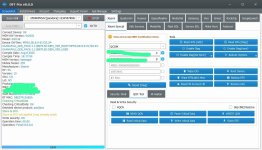

but be carefull....before all opreations....backup original qcn...and create critical file with original wifi mac and bluetooth mac adreses....
write critical file and than restore original qcn which has the same bluetoot and wifi mac adresses
if not match...device will not boot
write critical file and than restore original qcn which has the same bluetoot and wifi mac adresses
if not match...device will not boot
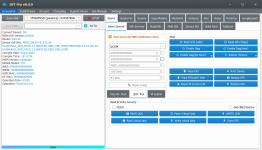
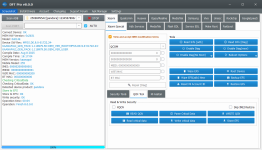
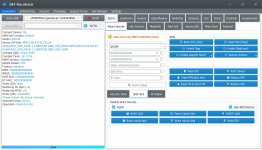
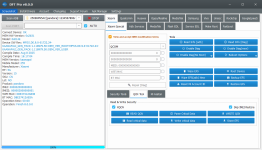
reboot fastboot again...wipe efs with dft
run minimal adb fastboot aplication
write factorynv.img file from eng firmware folder with this command
fastboot flash fsg (factorynv.img path)
reboot
than open dft....please manualy write both imeis and wifi bluetooth mac adresses which is in your critical file with QCOM method..do not write meid..leave blank
than restore qcn...than restore critical file....
store efs and factory reset .... share the results
run minimal adb fastboot aplication
write factorynv.img file from eng firmware folder with this command
fastboot flash fsg (factorynv.img path)
reboot
than open dft....please manualy write both imeis and wifi bluetooth mac adresses which is in your critical file with QCOM method..do not write meid..leave blank
than restore qcn...than restore critical file....
store efs and factory reset .... share the results

Bro, thanks for your help. In my case—an F6 Pro (Vermeer)—I’m getting the same error. I followed your steps, but it still won’t pick up a signal; it just shows "No Service" on the global ROM. Everything goes fine when flashing the QCN file, but once I perform a factory reset, the issue returns. The CPID and IMEI checks are both fine.reboot fastboot again...wipe efs with dft
run minimal adb fastboot aplication
write factorynv.img file from eng firmware folder with this command
fastboot flash fsg (factorynv.img path)
reboot
than open dft....please manualy write both imeis and wifi bluetooth mac adresses which is in your critical file with QCOM method..do not write meid..leave blank
than restore qcn...than restore critical file....
store efs and factory reset .... share the results
after restore qcn try to store efs if not work than try other step..
if your bootloader unlocked please flash only modem(non-hlos.bin) of china or india rom from fastboot mode and share results
if your bootloader unlocked please flash only modem(non-hlos.bin) of china or india rom from fastboot mode and share results
Last edited: