Latest activity
-
 cepfrekans replied to the thread Reeder S19 Max Pro S Zoom Frp (Google Hesap Kaldırma) Başarılı.Reeder S19 max Pro S zoom --dump lazım-- veya-- stock rom-- elinde olan varsa ekleyebilirmi
 -
XXtreme reacted to loniryan's post in the thread Store to EFS not applied (may already exist) with
 Like.
reboot fastboot again...wipe efs with dft run minimal adb fastboot aplication write factorynv.img file from eng firmware folder with this command fastboot flash fsg (factorynv.img path) reboot than open dft....please manualy write both...
Like.
reboot fastboot again...wipe efs with dft run minimal adb fastboot aplication write factorynv.img file from eng firmware folder with this command fastboot flash fsg (factorynv.img path) reboot than open dft....please manualy write both... -
XXtreme replied to the thread Store to EFS not applied (may already exist).Its done Thnx Thnx Thnx
-
 loniryan replied to the thread Store to EFS not applied (may already exist).reboot fastboot again...wipe efs with dft run minimal adb fastboot aplication write factorynv.img file from eng firmware folder with this command fastboot flash fsg (factorynv.img path) reboot than open dft....please manualy write both...
 -
XXtreme replied to the thread Store to EFS not applied (may already exist).all steps here 1 : after reset efs 2: after writing critical data 3: after writing qcn 4: read info diag now imei in mobile 004400152020000
-
-
loniryan replied to the thread Store to EFS not applied (may already exist).not important what you see in in eng and eng adb log...please enable diag in eng and read info in diag mode and share log here
-
XXtreme replied to the thread Store to EFS not applied (may already exist).i follow all steps imei in critical data came but after factory data reset imei 000000
-
loniryan replied to the thread Store to EFS not applied (may already exist).but be carefull....before all opreations....backup original qcn...and create critical file with original wifi mac and bluetooth mac adreses.... write critical file and than restore original qcn which has the same bluetoot and wifi mac...
-
loniryan replied to the thread Store to EFS not applied (may already exist).hello...boot to fastboot mode and wipe efs
-
loniryan replied to the thread Poco X7 Pro (rodin) hyperos 3 android 16 imei repair bl locked process without rsa resistance please?.flash eng preloaders a and b...than repair with patch bl-lock option from plreloader mode
-
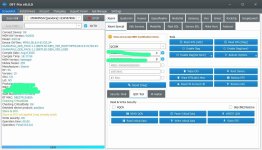
XHi, trying to write critical data on Xiaomi 17 pandora. i m facing this problem. Mobile have Eng firmware.
-
-
 vivo y17s v2310 frp nasıl yaparım chimera ve ya dft ile şimdiden teşekkürler
 -
Tturkcellgsm replied to the thread redmi 12 fire there has been a network error hatasının çözümü.1 global and 13 V14.0.6.0.TMXMIXM formatt all yazılım yükle 2 repair yap direk
-
 I need to get history of my dft pro, is there any way to get logs, hisory
 -
Bbydewilsamet replied to the thread redmi 12 fire there has been a network error hatasının çözümü.olumsuz