ERROR NEW UPDATE DFT DIAG ZTE (UNISOC)

victoriaceleste

New member
Joined
Sep 16, 2026
Messages
3
Reaction score
0
Points
1
Location
Peru
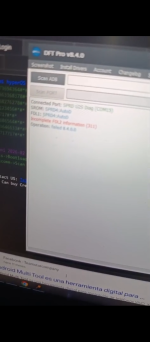
Before the new update, I could perform a reset and FRP bypass on any ZTE device in Diag mode; after the update, this stopped working for any model, regardless of the security patch or anything else. Could you please fix this?
Module : unisoc
Step 1 : reboot in download
Step 2 : services - operation to be performed
 

Attachments

  • Screenshot_20260916-012022.png
    Screenshot_20260916-012022.png
    445.5 KB · Views: 33

victoriaceleste

New member
Joined
Sep 16, 2026
Messages
3
Reaction score
0
Points
1
Location
Peru
Before the new update, I could perform a reset and FRP bypass on any ZTE device in Diag mode; after the update, this stopped working for any model, regardless of the security patch or anything else. Could you please fix this?
Module : unisoc
Step 1 : reboot in download
Step 2 : services - operation to be performed
 

loniryan

Yardım Sever Üye
Joined
Nov 8, 2022
Messages
280
Reaction score
61
Points
28
Location
ist
Hello, your mistake...
Power off device..go to diag section press factory reset and do not press Any button,just connect cable and wait..for FRP reset manualy select and try CPU from download-flash mode
 
Top